Askly AI — Organizational Gen-AI Platform

Overview

Askly AI is a platform for building AI assistants for your organization. Each assistant answers from the documents, databases, internal systems or websites you give it, and tells you where every answer came from. Once an assistant is ready, your staff can chat with it in the web app, you can embed it on your website, share a link with customers, or connect it to LINE, Microsoft Teams or Telegram. Developers can call it through an API that works just like OpenAI's. Before you go live, run a set of test questions and let an AI judge score the answers. After launch, the benchmark page shows how happy users are. If the model you rely on has a bad day, the system switches to a backup for you. You can run the whole thing on your own servers, and with on-premise models your data never has to leave the building.

Product video

Key features

  • Answers with sources — every answer shows which document and section it came from, users can rate it 👍 or 👎, and old chats are searchable
  • Easy to chat with — suggested follow-up questions, regenerate or edit a question, attach a picture, talk instead of typing, have answers read aloud, and see numbers as charts
  • Works on phones — the chat fits any screen, has a dark mode, switches between Thai and English, and can be installed as an app, even one app per assistant
  • Assistants for every team — build one per department, let AI draft the instructions and starter questions, give it a picture, and tune how it answers
  • Assistants that work together — a main assistant can hand questions to specialists like HR or IT and bring their answers back
  • Try before you launch — unfinished assistants are only visible to their creator and admins; when ready, open them to everyone, some departments or a few people
  • Test answer quality — write test questions with the answers you expect, or pull them from real chats, and let an AI score each one; you get a warning before going live if fewer than 80% pass
  • Benchmark page — see how satisfied users are with each assistant, how often it answers correctly and how often it had to switch to a backup model, and read every 👎 along with the user's reason
  • Knowledge base — upload PDF, Word, Excel, CSV or text files; search works by meaning and by keyword, tables and scanned pages are read too, and you can review the extracted text before it goes live
  • Folder sync — point it at a folder on your server and new or changed files flow into the knowledge base on a schedule; spot a wrong answer in the chat history and save the corrected version as an FAQ
  • Ask your databases — connect PostgreSQL, MySQL, SQL Server, SQLite, MongoDB or MinIO/S3 read-only; the system works out how tables relate, so people just ask in plain language, no SQL needed
  • Call other systems — set up API requests the way you would in Postman and let assistants call them while answering, with the usual sign-in methods like API keys, OAuth 2.0 and JWT
  • Connect tools over MCP — use existing MCP servers, or build your own inside the platform from Google Workspace, Microsoft 365, database or file templates, or your own code
  • Search the web — assistants search through your own SearXNG, read pages, and can be limited to the sites you allow
  • Skills — add abilities by configuration, such as HTTP calls or ready-made prompts; no user code is ever run
  • Pick any model — OpenAI, Anthropic, Gemini, Azure OpenAI, DeepSeek, Mistral, Groq, OpenRouter, xAI, Z.ai, or models you run yourself with Ollama, vLLM, LM Studio, llama.cpp, LocalAI or LiteLLM; choose a model per assistant and which models each department may use
  • Still answering when a model is down — line up backup models, and if the main one fails the system switches over without users noticing
  • A gateway for your models — other apps in your company and coding tools like Claude Code or OpenCode can use models through Askly AI, with keys, permissions and budgets in one place
  • Website chat button — paste one line of code, pick your colors and text, and choose which sites may use it
  • LINE, Teams, Azure Bot and Telegram — people chat with assistants in the apps they already use; on LINE they see a typing indicator while they wait, and even slow answers get through
  • Share a link with outsiders — customers can chat with an assistant after signing in with Google or LINE, and you set when the link expires and how many people can use it
  • Scheduled runs — for example, have an assistant summarize the day every morning and post it to LINE, Telegram, Slack, Teams or Discord
  • API for developers — chat with full or streamed replies, upload files, read history, keep each of your users' history separate under one key with per-user limits, plus code samples and Swagger to try it out
  • Keep sensitive data in — detect ID card numbers, phone numbers, emails, credit card numbers or your own banned words, then block the message or hide just that part, on both questions and answers
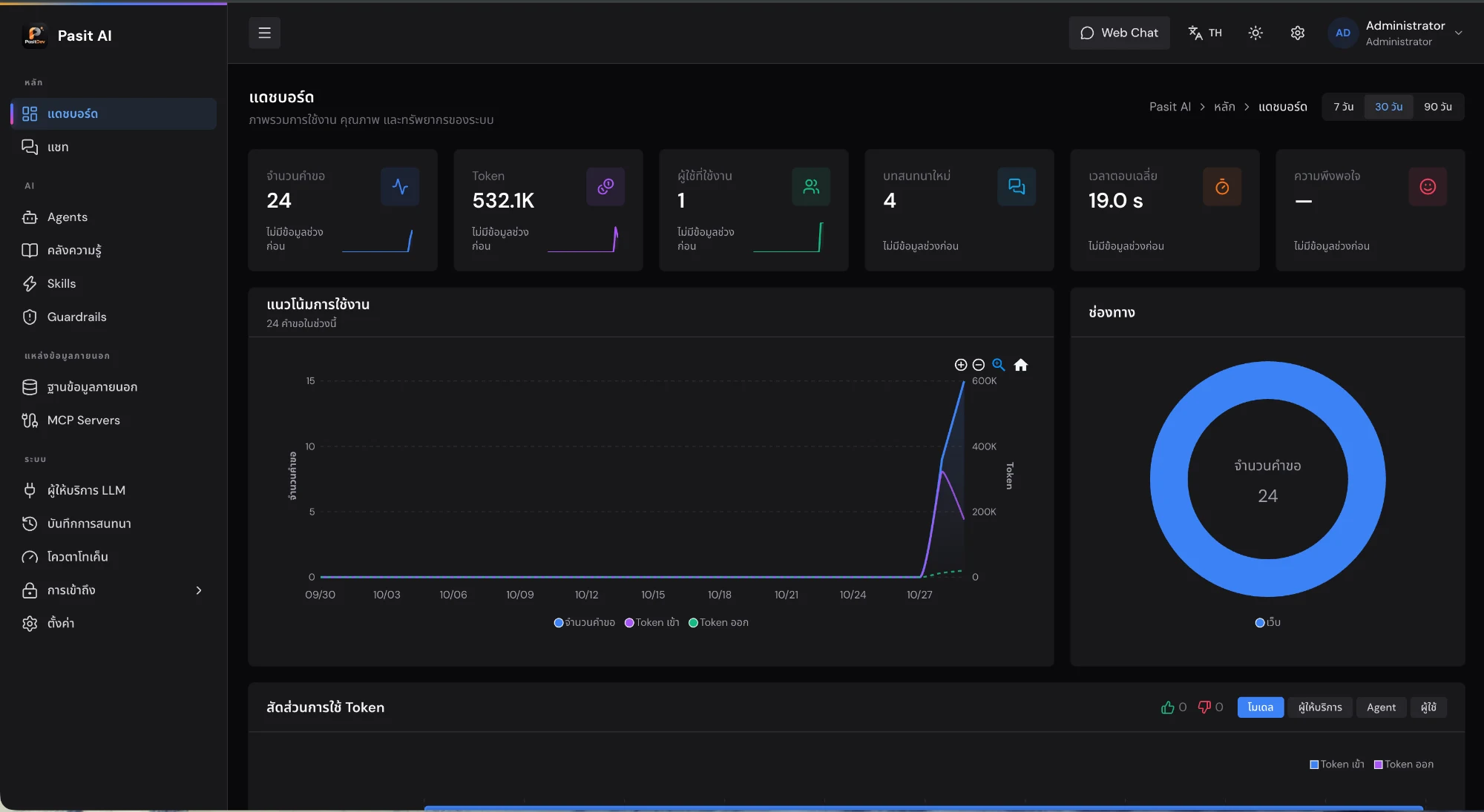
  • Dashboards and chat history — usage, response times and problem answers by channel, model, assistant or user over 7, 30 or 90 days; search chat history, export it to Excel, and decide how long logs are kept
  • Control costs — daily or monthly token quotas per department, per person or per API key, optionally per model
  • Sign in with company accounts — Active Directory or LDAP, Microsoft Entra ID, Google, Keycloak, Okta or GitHub, with permissions set from people's groups, and staff lists imported from Excel
  • Permissions and audit trail — detailed role-based permissions, control over who uses which assistant, and a record of every change
  • Secure and self-hosted — keys, passwords and secrets are encrypted before they are stored, and the whole platform runs on your own servers with Docker

System requirements

เซิร์ฟเวอร์ Linux (x86_64 หรือ arm64) ที่ลง Docker และ Docker Compose v2 ไว้แล้ว API Key ของผู้ให้บริการโมเดล หรือโมเดลที่รันเองในองค์กร เช่น Ollama, vLLM ไม่ต้องต่อ CDN ภายนอก หน้าเว็บทำงานได้แม้ไม่มีอินเทอร์เน็ต ถ้าจะใช้การค้นเว็บหรือ MCP Builder ต้องรัน container เพิ่มบนเครื่องเดียวกัน (ไม่บังคับ)

Compare plans

One-time payment, no monthly fees

ติดตั้งและใช้งานบนระบบองค์กร

Contact us

ขอใบเสนอราคา — ติดตั้งเองด้วย Docker พร้อมปรับแต่งตามองค์กร

  • คลังความรู้จากเอกสาร (PDF, Word, Excel, CSV, ไฟล์ข้อความ) และซิงก์โฟลเดอร์
  • สร้างผู้ช่วยแยกตามงาน ให้ส่งต่องานกันได้ พร้อมชุดทดสอบและหน้า Benchmark
  • ต่อเครื่องมือผ่าน MCP, Skills, API ของระบบอื่น และค้นเว็บ
  • ถามข้อมูลจากฐานข้อมูลได้โดยไม่ต้องเขียน SQL
  • ใช้ผ่าน Web Chat, ปุ่มแชทบนเว็บ, ลิงก์แชร์, LINE, Teams, Azure Bot, Telegram และ API
  • เลือกโมเดลได้หลายเจ้า สลับตัวสำรองเองเมื่อตัวหลักล่ม
  • กันข้อมูลรั่ว โควตาโทเค็น สิทธิ์ตามบทบาท ล็อกอินด้วยบัญชีองค์กร และบันทึกการแก้ไข
  • แดชบอร์ด ประวัติแชท และส่งออก Excel

What you get

  • ระบบ Askly AI พร้อมใช้งานบน Docker Compose
  • ตั้งค่าผู้ให้บริการโมเดลและช่องทางเริ่มต้น
  • คู่มือการใช้งานและเอกสารนำเสนอ
Request a quote

Questions about this product

How is Askly AI different from a regular chatbot?

A regular chatbot answers from what the model already knows. Askly AI answers from your own documents, databases and systems, shows where each answer came from, and gives you the tools to test it, measure it and control who uses it and how much it costs.

Will our data leave the company?

You can install it on your own servers and use models you run yourself, such as Ollama or vLLM. If you choose a cloud model, the system can hide personal data like ID card numbers before anything is sent.

Which model providers can we use?

OpenAI, Anthropic, Gemini, Azure OpenAI, DeepSeek, Mistral, Groq, OpenRouter, xAI, Z.ai and any provider with an OpenAI-style API, plus models you run yourself with Ollama, vLLM, LM Studio, llama.cpp, LocalAI or LiteLLM. Each assistant can use a different model and keep backups in case the main one goes down.

Where can people use the assistants?

The web chat, a chat button on your website, shared links for outsiders, LINE Official Account, Microsoft Teams, Azure Bot, Telegram and the API.

Which databases can it connect to?

PostgreSQL, MySQL, SQL Server, SQLite, MongoDB and MinIO/S3, read-only, so nothing gets changed. You choose which tables an assistant can see, and the system works out how they connect, so it can answer questions that need data from several tables without anyone writing SQL.

Will LINE time out if an assistant is slow?

No. Askly AI accepts the message from LINE right away and works on the answer in the background. Users see a typing indicator in the meantime, and if the answer takes longer than LINE allows for a reply, it is still delivered.

How do I know an assistant is good enough?

Before launch, run your test questions and let an AI score the answers. After launch, the benchmark page shows how satisfied users are, how often answers are correct and how often the model had problems.
Free consultation

Request a callback

Interested in Askly AI — Organizational Gen-AI Platform but have questions? Leave your phone or LINE ID and we will get back to you with advice, a demo and installation scheduling.

  • We reply within 1 business day
  • Demo over LINE or video call
  • No-cost consultation

Preferred contact channel *

Used only to contact you, per our privacy policy

Related products

View all →
Softnix OpsWatch - Realtime Monitoring Systems
PopularDevelopment services

Softnix OpsWatch - Realtime Monitoring Systems

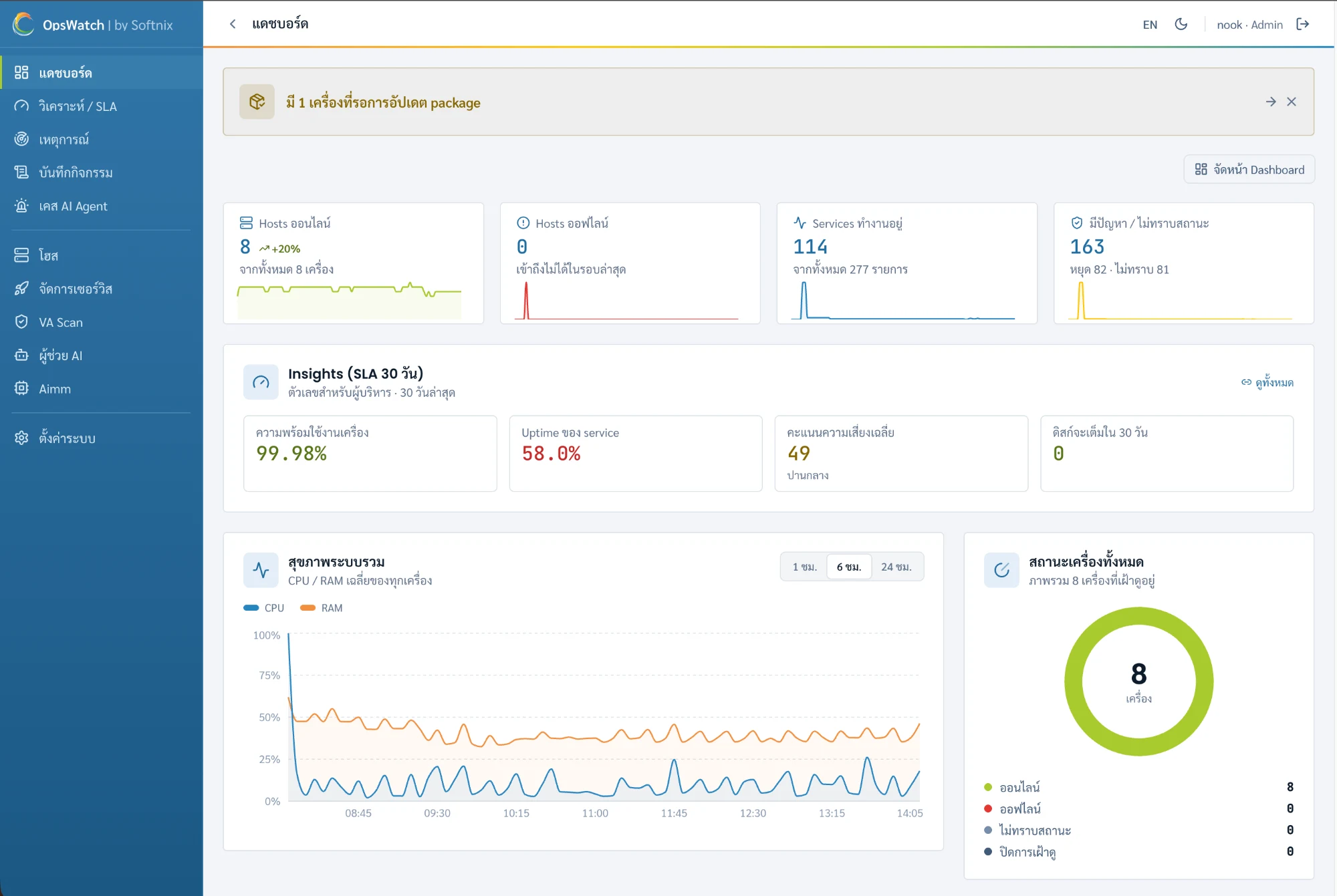
Softnix OpsWatch is a real-time IT resource monitoring system designed for organizational use. It supports a wide range of assets, including Linux, Windows, and ESXi servers, as well as network devices such as switches, routers, and firewalls via the SNMP protocol. Administrators can add devices for monitoring by providing an IP address along with the corresponding credentials—either a username and password or an SSH key. Once added, the system automatically scans for and identifies running services, including Docker containers, PM2 processes, systemd services, and Windows services.

Price

Custom quote